
Skip the tabs. Save jobs as you apply.
I built AppliedOn to simplify my own search with better tracking, clear reports on my progress, and no more wasting time clicking back and forth to log a new job. Now, saving a role takes seconds.
Our free browser extension opens right alongside the job post, so you can capture details and keep moving.
How it works
- Find a role worth applying to. LinkedIn, Indeed, Greenhouse, Lever, Workday, or any company careers page. Wherever you're looking.
- Open our extension. No tabs to switch between, no spreadsheet to jump to, and no losing your place.
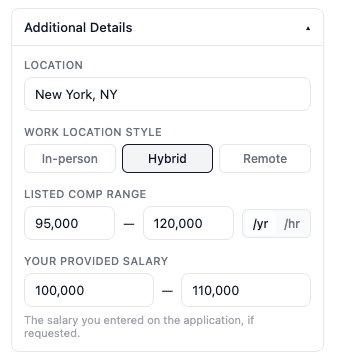
- Add the company, role and status. Salary, location, work style and the resume you sent are optional.
- Click save. It’s in your tracker.
What happens next
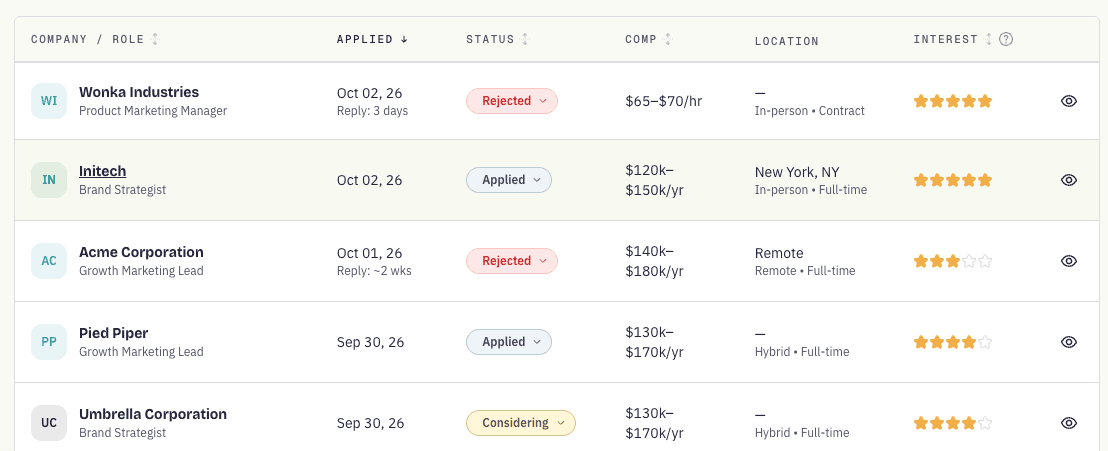
Every role saves directly to your free AppliedOn tracker. As companies reply with interviews, offers, rejections, log updates in a click and capture any details that matter. Your stats update automatically, giving you immediate visibility into what’s working and where things stall.
Quick answers
- Is it really free?
- Yes. The AppliedOn extensions for Chrome and Firefox and the AppliedOn job application tracker are completely free to use.
- Which browsers does it work with?
- Chrome and Firefox.
- Which job sites?
- All of them. LinkedIn, Indeed, Workday, Greenhouse, a company’s own careers page. If it’s on the web, you can save it.
- Do I need an account?
- Yes, you’ll need a free AppliedOn account to save your jobs. Sign up with Google or LinkedIn in just two clicks.
- Is it private?
- Yes. The extension only reads the page when you open it, and we only store the jobs you save.
Community benchmarks use anonymized, aggregated data, and we never sell your individual data. Read our privacy policy for complete details.